OWASP Top 10 for Vibe Coders, Part 11: Checksums
The Software or Data Integrity Failures article, just before this one, mentioned checksums in passing, as the thing that lets you confirm a file hasn’t been tampered with. This one explains them properly: what a checksum actually is, how to calculate one yourself, and why “the checksums match” is one of the simplest, most reliable security habits going.
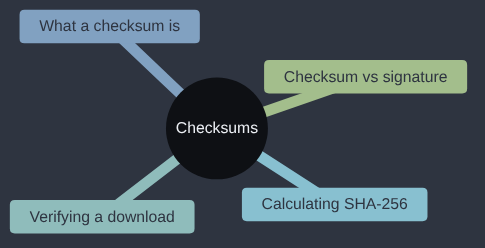
I’ve already confessed to this one in the Software or Data Integrity article, but it belongs here too. Years ago I dutifully checked a download’s checksum against the one published on the website, and the two matched perfectly. The trouble was that I’d been on the wrong site, so I’d confirmed that a bad file matched a bad number. A checksum only tells you the file matches the value you were given; this post is about using it properly, and about knowing where that value should come from.
If you download installers and run them because the website looked official, this one is for you.
What a checksum actually is
A checksum is a short, fixed-length string calculated from a file’s contents, using a mathematical function with one very specific property: the same input always produces the same output, and any change to the input — even flipping a single bit, anywhere in a file that might be gigabytes long — produces a completely different, unpredictable output. That function is usually a cryptographic hash function (the same broad family of tool behind the password hashing covered earlier in this series, though used here for a different purpose), and the most common one you’ll meet for this job today is SHA-256, which always produces a 64-character string of hex digits, however big or small the input file is.
That property — tiny change in, completely different result out — is what makes a checksum useful for exactly one job: proving that a file you have right now is identical, byte for byte, to a file someone else had when they calculated its checksum. It doesn’t tell you the file is safe, or trustworthy, or free of malware. It only tells you whether it’s been altered since the checksum was published — which turns out to be an extremely useful thing to know on its own.
Calculating one yourself
You don’t need any special software for this — it’s built into most operating systems and into Python’s standard library. From a terminal, on Linux or inside WSL:
sha256sum myfile.zip
On macOS:
shasum -a 256 myfile.zip
Or, inside Python, if you want to do it programmatically (useful for verifying a file your own code just downloaded):
import hashlib

def sha256_of_file(path):
    hasher = hashlib.sha256()
    with open(path, "rb") as f:
        # Read in chunks, not all at once - a checksum tool that loaded
        # a multi-gigabyte file fully into memory first would be a poor
        # one; chunked reading works the same way regardless of file size.
        for chunk in iter(lambda: f.read(8192), b""):
            hasher.update(chunk)
    return hasher.hexdigest()

print(sha256_of_file("myfile.zip"))
Run either version against the same file twice and you’ll get the identical 64-character string both times. Change one byte of the file — open it in a text editor and add a single space, for instance — and run it again: a completely different string, with no visible relationship to the first one. That’s the whole mechanism, and it’s the entire basis for everything else in this article.
Why this matters: proving a download wasn’t tampered with

The concrete scenario this solves connects directly back to the Software Supply Chain Failures article earlier in this series: you’re downloading something from the internet — an installer, a dependency, a backup file — and you want to know that what actually arrived on your machine is exactly what the publisher intended to send, with nothing added, removed, or substituted along the way by whatever sat between you and them (a compromised mirror, a malicious proxy, a corrupted transfer). Reputable software publishers address exactly this by publishing the expected checksum alongside the download itself, so you can check the one against the other:
import hashlib
import requests

def verify_download(url, expected_sha256):
    response = requests.get(url)
    actual = hashlib.sha256(response.content).hexdigest()
    if actual != expected_sha256:
        raise ValueError(
            f"Checksum mismatch! Expected {expected_sha256}, got {actual}. "
            "The file may have been tampered with - do not use it."
        )
    return response.content

# The expected value comes from the publisher's own site, ideally over
# a separate, trusted channel - not from the same download you're checking.
file_data = verify_download(
    "https://example.com/tool-v2.1.0.tar.gz",
    expected_sha256="3b4f8e1c9a2d7f6e5c4b3a2918f7e6d5c4b3a2918f7e6d5c4b3a2918f7e6d5c4",
)
Fourteen lines of real logic, and it’s the difference between trusting a download blindly and actually verifying it. If anyone or anything altered the file between the publisher and you, actual won’t match expected_sha256, and the ValueError stops the file being used before any damage can be done.
One detail matters a lot here: the checksum has to come from somewhere independent of the download itself. If an attacker can alter the file in transit, and you’re fetching the “expected” checksum from that same compromised connection, they can simply alter both to match each other. That’s why reputable projects publish checksums on a separately-secured page (often signed, which is one layer stronger again — see below), and why package managers (covered in the Software Supply Chain article) fetch and verify checksums as part of their own trusted infrastructure, rather than leaving it to each user to copy and paste by hand.
Checksum versus signature
A checksum proves a file hasn’t changed since the checksum was calculated. It says nothing about who calculated it, because anyone with a copy of a file — the real publisher or an attacker who substituted their own malicious version — can compute a perfectly valid-looking checksum for whatever they’re holding. If an attacker controls both the file and the page listing its checksum, a checksum alone proves nothing.
A digital signature goes one step further: it’s created using a private cryptographic key that only the real publisher holds, and anyone can verify it using the publisher’s corresponding public key — but only the real private key could have produced a signature that verifies correctly. That means a signature proves authorship as well as integrity: not just “this file is exactly what was signed,” but “this file was signed by someone holding this specific, known key.” This is how a lot of software distribution actually protects against the XZ Utils-style backdoor mentioned in the Software Supply Chain article: not a checksum alone, but a maintainer’s cryptographic signature over a release, which a compromised-but-not-key-holding attacker can’t forge.
For most day-to-day verification — confirming a download completed correctly, checking a file matches what a trusted source published — a checksum is enough, and it’s by far the simpler tool to reach for. Signatures matter more as the stakes rise: verifying a software release that will run with real privileges, or confirming an update really came from the vendor and not an impersonator.
Why this fix exists
Checksums were invented for accidents, not attacks. Early networks and storage corrupted data often enough that engineers added cheap checks, such as the cyclic redundancy check described by W. Wesley Peterson in 1961, to catch a flipped bit. Cryptographic hashes came later, designed so that nobody could deliberately make two files with the same value: MD5 in 1992, then the SHA-2 family, including SHA-256, in 2001. MD5 lost that property in 2004, when researchers led by Xiaoyun Wang showed how to produce collisions, which is why this post uses SHA-256. Signatures were added on top, because a checksum only proves the file matches the number, and you still have to trust whoever gave you the number.
My take
Checking a checksum is reading the seal on a delivery before you sign for it: dull, quick, and the only moment at which you can still send it back. I’d check SHA-256 sums for anything you download outside a package manager, such as installers, binaries and backups, and let pip’s hash-checking mode handle packages once you’ve pinned them. I wouldn’t set up your own signing infrastructure, a private certificate authority or reproducible builds for a small app. Those are purpose-built for people publishing software that other people install, and if that’s ever you, they’ll stop being optional.
Check your own setup
- “Does this project download any files, dependencies, or assets at build or deploy time outside the normal package manager? For each one, check whether its checksum (or signature) is verified against a known-good value before it’s used.”
- “When this project publishes a release or build artifact of its own, does it also publish a checksum (or signature) alongside it, so downstream users can verify what they received?”
- “Write me a short script that calculates the SHA-256 of a given file, so I can manually verify something I’ve downloaded against a checksum published on its official site.”
A checksum costs almost nothing to calculate and almost nothing to check — a few lines of code, a few seconds of time — against a payoff that, in the cases where it actually catches something, can be the difference between installing the software you meant to and installing whatever someone else substituted in its place.
Tested (Python 3.12.8, macOS): sha256sum, shasum -a 256 and the Python function printed identical digests for the same file. verify_download returned the data on a matching checksum and raised the “Checksum mismatch” error on a wrong one, tested against a local web server. The example.com URL at the end is a placeholder and was not fetched. Code: gist.
Next in the series: Security Logging and Alerting Failures — what happens when something does go wrong, and nobody ever finds out.
This post is part of the OWASP Top 10 for Vibe Coders series; the first post introduces the series and what’s in it.